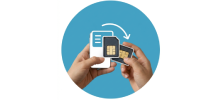
What is eSIM?
An eSIM, short for embedded SIM, is a small chip built into your phone or tablet. It replaces the classic plastic SIM card and lets you connect to mobile networks without putting anything into your device.
With an eSIM, you can change mobile operators online. There is no need to visit a store, no tiny cards to handle, and no tools to open your phone. You choose a plan, activate it digitally, and you are ready to go.
In everyday use, an eSIM works just like a regular SIM card. You make calls, use mobile data, and stay connected as usual. The only real difference is that nothing physical is involved. Once activated on a compatible device, it works immediately.
How does eSIM work?
At its core, eSIM works almost the same way as a traditional SIM card. The main difference is how it is installed.
Instead of inserting a card, you download an eSIM profile from your chosen provider. After selecting a prepaid plan, your phone connects to the mobile network without any physical changes.
The best eSIM cards work wherever the provider has coverage. As long as the network is available in your location, your eSIM will connect and give you mobile internet access.

Advantages of the best eSIM
Stay connected wherever you go
You can buy the best eSIM online from almost anywhere and get connected within minutes. Many eSIM plans cover multiple countries, which makes them ideal for international travel.
You can also buy your eSIM before your trip. This way, your phone connects as soon as you land, without searching for Wi-Fi or local SIM shops at the airport.
No need to buy or insert SIM cards
Before eSIMs existed, travelers often had to find local mobile stores, wait in line, and deal with unfamiliar plans and languages.
With an eSIM, you can buy and activate your plan from home, your hotel, or even while already traveling. Everything is digital, so there is no SIM tray to open and no card to insert.
Keep your existing phone number
Using an eSIM lets you keep your main phone number while using mobile data abroad. Your physical SIM stays in your phone, and the eSIM handles the data connection.
This is useful if you still want to receive calls, messages, or verification codes on your regular number.
Store multiple profiles on one device
Most modern smartphones can store several eSIM profiles at the same time. You can switch between them depending on where you are or where you are going next.
For frequent travelers or remote workers, this makes the best eSIM card a very practical option.
No risk of loss or physical damage
Because an eSIM is built into your device, you cannot lose it or damage it like a plastic SIM card.
That alone removes one common travel headache and gives extra peace of mind.
More affordable for international travel
In many cases, eSIM plans are cheaper than traditional roaming or buying local SIM cards. Prices are usually clear, and you avoid unexpected roaming charges.
For this reason, the best eSIM cards are often a more budget-friendly way to stay connected abroad.
Best eSIM providers in 2026
Choosing the best eSIM provider matters if you want reliable coverage and a smooth experience while traveling.
Airalo
Airalo is one of the most well-known eSIM providers worldwide. It offers prepaid data plans in hundreds of countries, making it easy to stay connected without using physical SIM cards.
Yesim
Yesim is based in Switzerland and focuses on international travelers. It offers regional and global plans, simple installation, and optional extras such as VPN services and virtual phone numbers.
Drimsim
Drimsim offers both physical SIM cards and eSIM options. Its pay-as-you-go model means you only pay for the data you actually use, which can be helpful for cross-border travel.
Saily
Saily is backed by Nord Security, the company behind NordVPN. It provides affordable data-only eSIM plans in more than 200 countries, with easy setup and added privacy features.
Traveling with the best eSIM
Using the best eSIM for travel makes sense as staying connected becomes more important.
An eSIM lets you switch between mobile providers without buying a new SIM card in each country. This is especially useful when traveling internationally, as it gives you quick access to local networks without high roaming fees.
Because eSIMs work with multiple providers around the world, you rely less on public Wi-Fi and have more consistent mobile internet wherever you go.
Benefits of using eSIM while traveling
Multiple profiles on one phone
An eSIM allows your phone to store several mobile plans at once. Switching between providers or countries takes only a few taps and does not require changing SIM cards.
No physical SIM handling
There is no need to remove or insert SIM cards. This reduces the risk of damaging your phone or misplacing small SIM pieces.
Global coverage
With eSIM, you can choose plans from different regions and countries. This makes it easy to select the best eSIM card for your destination.
Cost savings
Many eSIM plans cost less than traditional roaming or local SIM cards. You also avoid surprise charges.
Remote activation
Most eSIMs can be activated remotely. You can set everything up before you travel and arrive already connected.

eSIM vs physical SIM
Since eSIM technology became available, many users compare it with traditional SIM cards.
Convenience
When it comes to convenience, eSIM is clearly ahead. You can download and activate an eSIM from home, your hotel, or the airport. Physical SIM cards usually require visiting a store and swapping cards.
For international travelers, this makes the best eSIM a much simpler option.
Multiple plans
Physical SIM cards are limited by the number of slots in your phone. eSIM allows you to store many plans at the same time. Some smartphones can hold eight or more eSIM profiles.
No risk of damage
Physical SIM cards can stop working if their chips are damaged. An eSIM does not have this issue.
No risk of loss
SIM cards are small and easy to lose, especially while traveling. With eSIM, there is nothing to misplace.
Better security
An eSIM is harder to remove or misuse. This adds an extra level of protection if your phone is lost or stolen.
eSIM security
eSIM technology has changed how mobile connectivity works by removing physical SIM cards. Mobile profiles are delivered digitally, which is convenient but also makes security important.
The best eSIM providers focus on protecting user data and preventing unauthorized access or fraud.
How to protect your personal data in 2026
Encryption technology
eSIM uses encryption to protect data exchanged between your device and the mobile network. Only authorized systems can read this information.
Strong passwords and PINs
Using strong passwords and PIN codes helps protect your device and your eSIM. A mix of letters, numbers, and symbols improves security.
Authentication
When connecting to a network, your eSIM verifies both your device and the network to ensure a secure connection.
Fraud protection
eSIM data is stored in a secure area of your device, separate from apps. This helps protect it from malicious software.
Remote SIM provisioning
Remote SIM provisioning lets you add or remove providers securely without using a physical SIM card, improving both safety and convenience.
Extra steps to protect your eSIM
- Activate eSIMs only from trusted providers
- Use screen locks such as PINs or biometrics
- Keep your device software up to date
- Save backup copies of your eSIM QR codes
- Avoid unsecured public Wi-Fi or use a VPN
- Contact your carrier immediately if your phone is lost or stolen
How to activate eSIM in 2026
On iPhone
- Go to Settings
- Tap Cellular
- Tap Add eSIM
- Choose Other Options
- Select Use QR Code and scan the code
- Follow the on-screen steps
On Android
- Go to Settings
- Tap Connections
- Open SIM Card Manager
- Tap Add Mobile Plan
- Scan the QR code and follow the instructions
Note: Steps may vary slightly depending on your device and software version.
How to deactivate eSIM in 2026
On iPhone
- Go to Settings
- Tap Mobile or Cellular Data
- Select the plan
- Tap Delete Plan
On Android
- Go to Settings
- Tap Connections
- Open SIM Card Manager
- Select the plan
- Turn it off and tap Remove
Note: Steps may vary slightly depending on your device and software version.
How to reactivate eSIM in 2026
To reactivate an eSIM, go back to the Add Mobile Plan or Add Data Plan section in your phone settings. Select the saved profile and activate it again.